Looking for a free AI image generator with no sign-up required? You’ve probably been burned before. You search for a free AI image generator, click the first result full of hope, type your prompt, and then it hits you. “Create a free account to continue.” Another email, another password, another newsletter you’ll never read. All you wanted was one image.
I tested dozens of so-called “free” AI image tools to find the ones that actually keep their promise. Every tool on this list lets you generate images without creating an account, without entering your email, and without reaching for your credit card. Just open the site, type what you imagine, and download the result.
Quick Answer: What’s the Best Free AI Image Generator With No Sign Up?
Perchance is the best all-around pick—it’s unlimited, adds no watermark, and asks for nothing in return. If you want photorealistic quality instead, Raphael AI is the strongest no-signup option. For generating many variations of one idea at once, Craiyon gives you nine images per prompt.
| Tool | Sign-Up Needed? | Free Limit | Watermark | Commercial Use | Best For |
|---|---|---|---|---|---|
| Perchance | No | Unlimited | None | Yes, no restrictions. | Everyday use, blog graphics |
| Craiyon | No | Limited free images, waits at peak times | Small logo | Yes, with credit to Craiyon. | Brainstorming ideas fast |
| Dezgo | No | Free queue (a few minutes wait) | None seen | Terms unclear—be careful. | Simple, quick generations |
| Raphael AI | No | Unlimited generations | Yes, on free downloads | No—personal use only on the free tier | Realistic, high-quality images |
| Hugging Face SD3 Demo | No | No visible limits | None | Check the SD3 model license. | Trying real Stable Diffusion |
| Wombo Dream | No | Free, but slow queue | Yes, on free downloads | Terms unclear—be careful. | Fun styles on the web |
1. Perchance—Best Overall
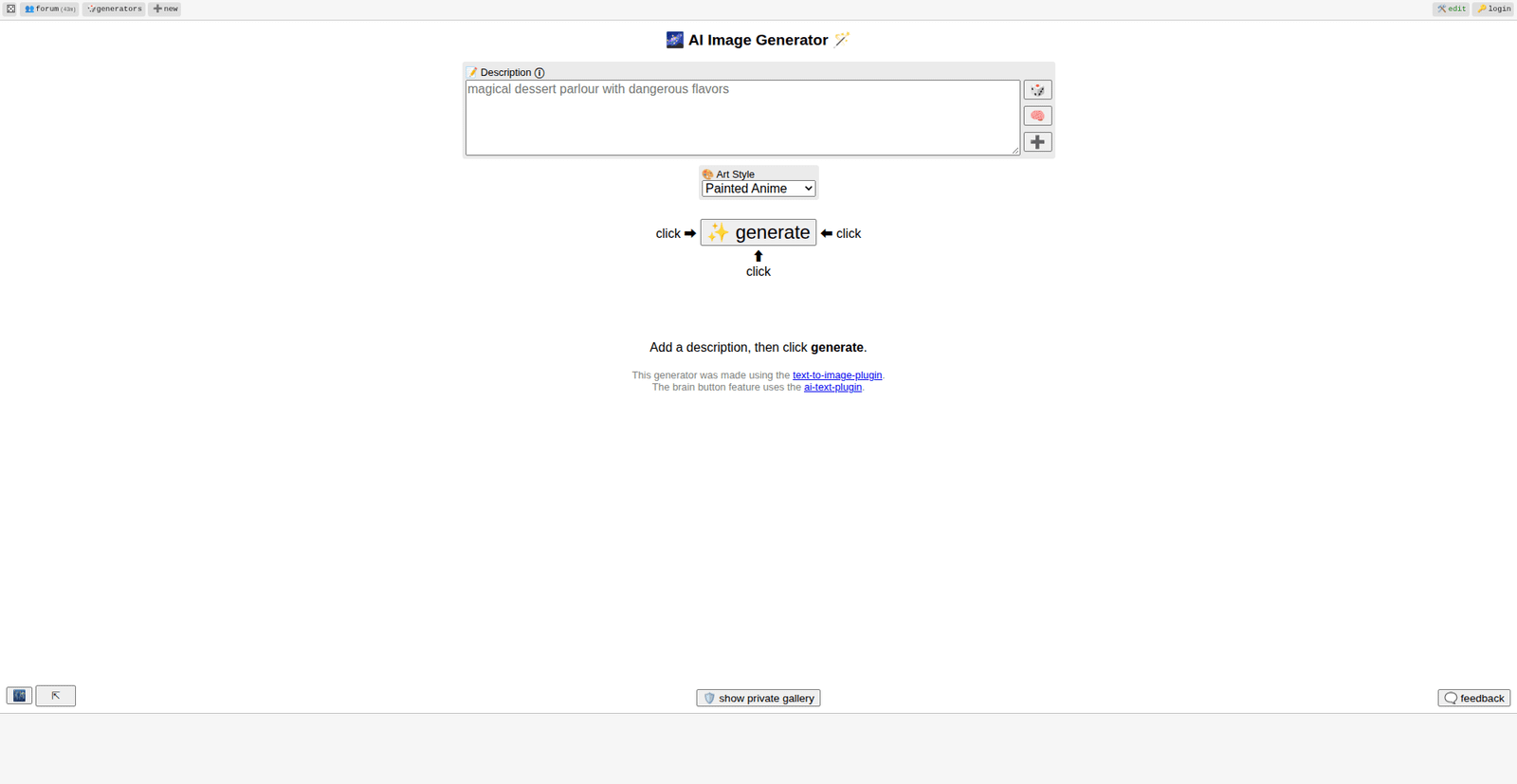
Perchance is one of those few apps that really delivers precisely what the app’s homepage claims—it gives users a free AI image generator without any registration or usage limits. You open the website, enter a prompt, choose your art style, and get images. No “credits left” countdown and no pop-up message telling you to make an account after your fifth generated image.
What makes this app genuinely useful rather than simply user-friendly is the ability to generate in many styles (from anime to oil painting to pixel art to photorealistic) along with options to set image shape and level of detail. Image generation quality won’t impress professional designers, but it is sufficient enough for blog graphics, social media posts, or YouTube thumbnails.
Honest review: is that Perchance is slow during peak hours due to limited resources shared among all users.
2. Raphael AI—Best for Photorealism
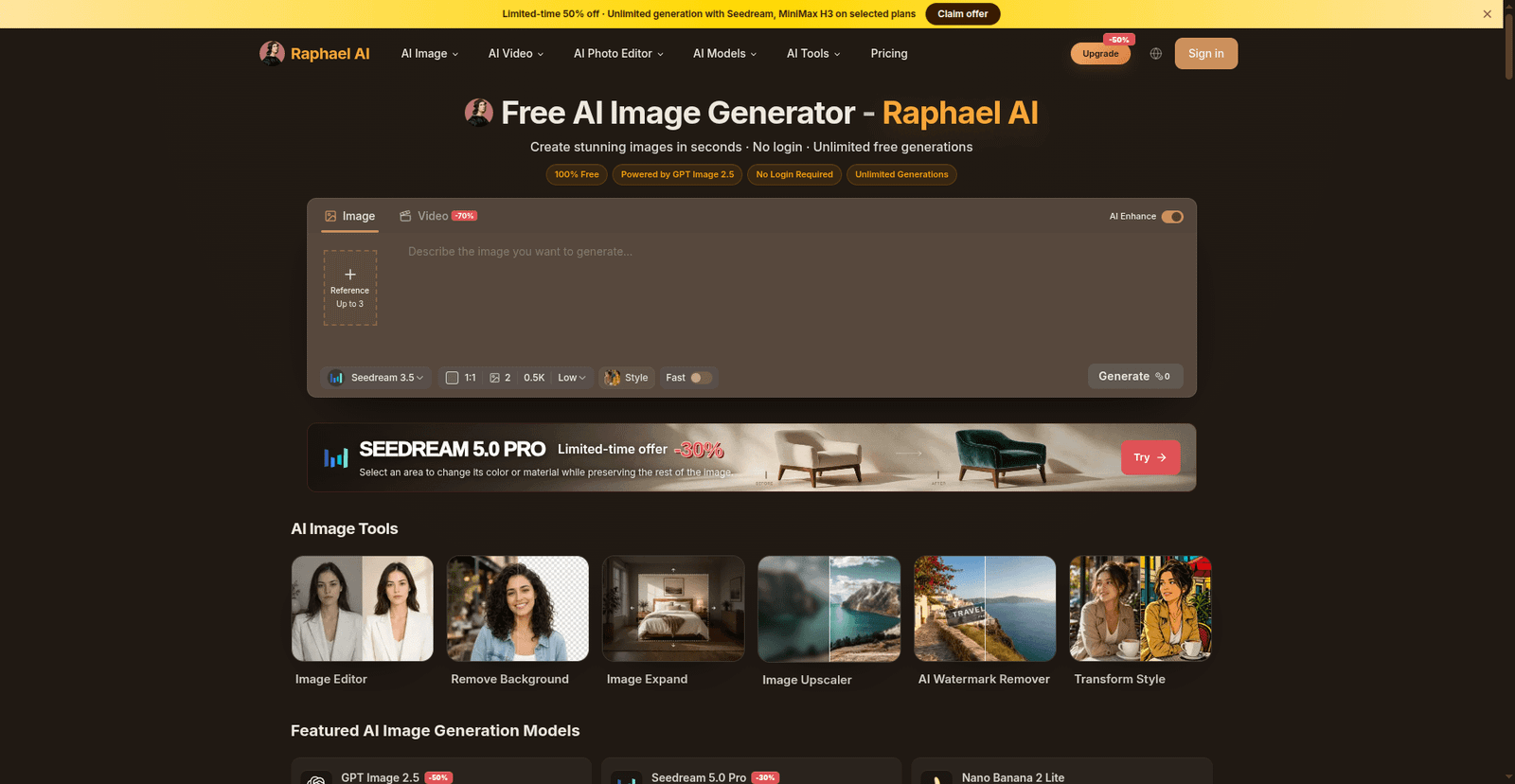
Whereas Perchance may be the everyday car, Raphael AI is the sports car that works on the FLUX.1 model—possibly one of the best open image models out there right now, and you will notice how realistic everything is in terms of skin, lighting, etc.
What is amazing about Raphael AI is that no accounts are necessary, nor is there any watermark on the downloads for images generated by Raphael. This is possibly the best free image generation service for anyone who wants to generate free mockups or realistic scenes.
Honest review: The one drawback is that there is always a queue due to the fact that it is a good-quality free generator.
3. Craiyon—Best for Many Variations
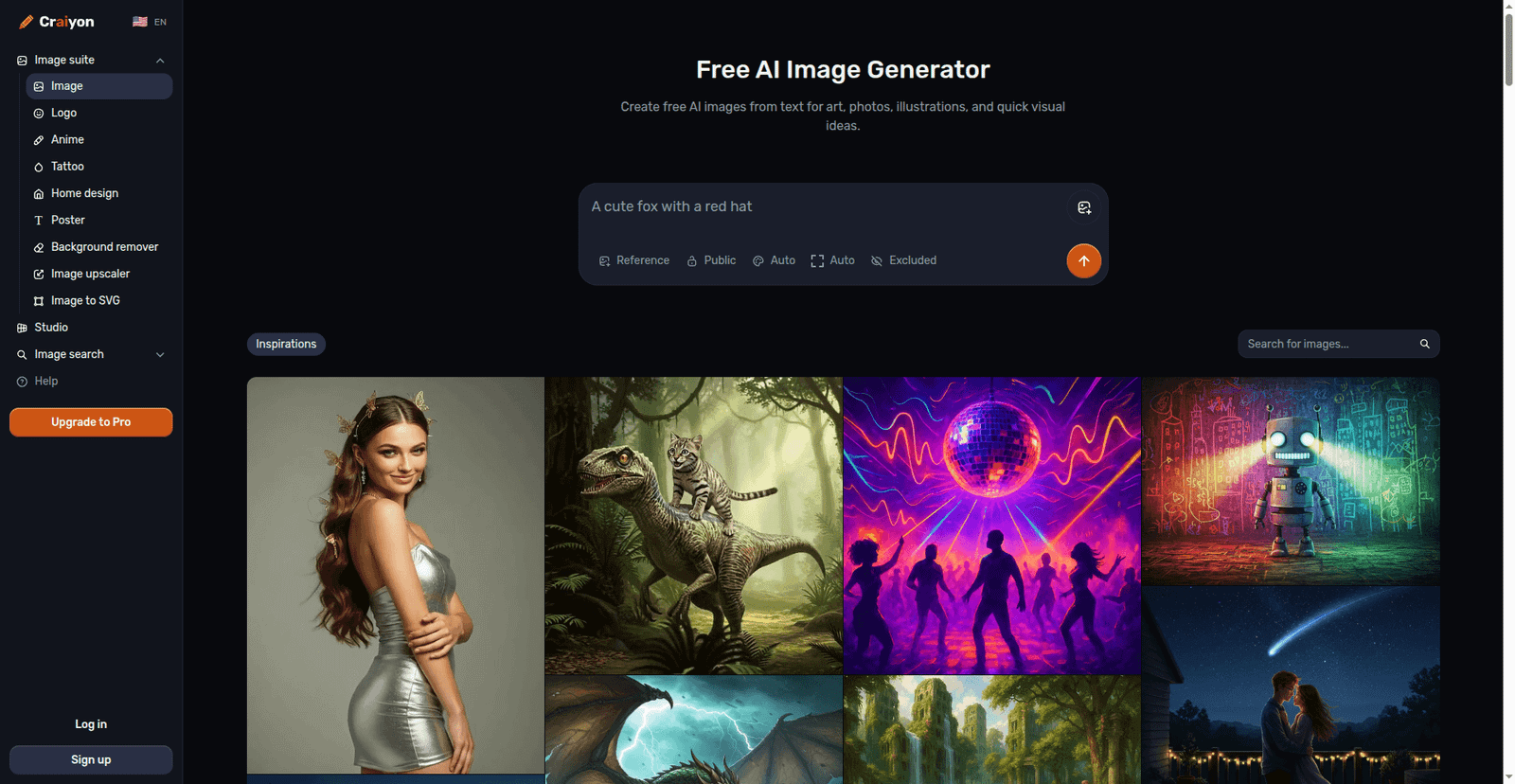
Of all the programs discussed here, Craiyon (previously called DALL-E Mini) is one of the oldest and probably one of the easiest options for visual brainstorming. Enter one phrase, and get back nine completely different pictures, which works great when you are not sure about your idea.
Style presets include photo, anime, illustration, vector, and other choices, as well as an “exclude” option where you can describe what you do not need to see in the picture. The simplicity of the user interface means that even a beginner will be able to get something done in less than a minute.
Honest review: While using it for free, expect a small Craiyon watermark on your picture; also, during peak hours, you will be put into a queue. But if you need clear pictures without watermarks, use it together with one of the tools above.
4. Dezgo—Best for Speed and Simplicity
Dezgo extracts the essence of using an AI image generator by keeping it simple: enter a prompt, and generate an image. The AI image generator, without any of the extra features, lacks the gallery feature to explore, the community feed, and the limited options panel to play with, and is designed exclusively for quick image generation.
It uses Stable Diffusion as its model and allows you to adjust basic parameters such as image size and guidance strength, but if you don’t want to do that, then you can simply type in words. Nothing beats this when it comes to quickly visualizing something while writing or designing.
Honest review: is that there are limits to the free version of Dezgo, and the image quality is good, not great. It is more of a sketchpad than anything else.
5. Hugging Face Stable Diffusion Demo—Best for Trying the Real Thing
Stable Diffusion is the open-source engine behind half the AI art on the internet, and Hugging Face hosts a free public demo of version 3 Medium that anyone can use. No account, no credits, no limits shown. Just type your prompt, and your image appears in about ten seconds, with a download button right on it.
This is the pick if you’ve heard about Stable Diffusion and want the real thing, not a watered-down copy. The output is clean with no watermark.
Honest review: the interface is plain and built for testing, not for pretty browsing. And commercial rights depend on the Stable Diffusion 3 model license, so check that before business use.
6. Wombo Dream—Best-Known App, Now on the Web
Wombo Dream became famous as a phone app, and its web version works without an account too. Pick a style, type your prompt, and it generates your image as a guest with a working download button.
The trade-off is speed and polish: the free queue can take several minutes, free downloads carry a watermark, and some of the fancier styles and aspect ratios are locked behind Premium. It’s fun to play with, but the free web experience is clearly a taste of the paid app.
Honest review: slow, watermarked, and partly paywalled—fine for fun, not for serious work.
Which One Should You Pick?
Different jobs need tools. Here is a quick guide:
- Blog illustrations and thumbnails: Perchance—an AI image generator that is free of watermarks and does not require an account.
- Realistic images and mockups: Raphael AI—a free AI that gives good quality from text prompts.
- Brainstorming ideas: Craiyon—nine variations for each prompt, good when you want many free AI art options quickly.
- Trying real Stable Diffusion: Hugging Face SD3 demo—the genuine model, free, no watermark, done in seconds.
- Fun styles: Wombo Dream—a famous app experience in the browser, but slow and watermarked on the free tier.
I find that bookmarking two tools works best. Use Perchance every day. Use Raphael AI when you need the best quality. That pair covers everything without spending money.
How to Write Better Image Prompts (5 Quick Tips)
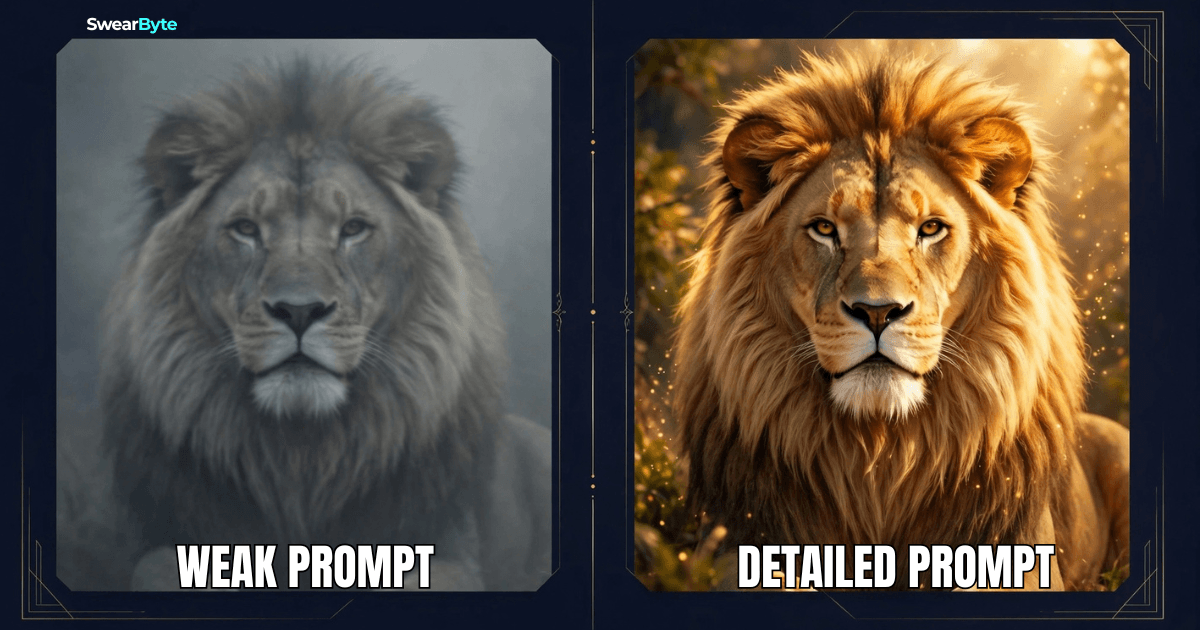
The tool matters. The prompt matters even more. These five habits will improve your results on any generator:
- Be specific. A prompt that says “A dog” will give you a dog. A prompt that says “A golden retriever puppy playing in autumn leaves, golden hour lighting” will give you a picture.
- Name a style. Add words like “oil painting,” “minimalist,” or “photorealistic” to steer the look.
- Describe the mood. Cozy, dramatic, futuristic. Mood words change everything.
- Say what to avoid. If the tool has a prompt or exclude box, use it: blurry, distorted hands, or watermark.
- Iterate. The prompt’s first result is a draft. Tweak one thing at a time and regenerate. That is how the good stuff happens.
Can You Use These Images Commercially?
This is where you must be careful. “Free to generate” and “free to use” are not the same. Every tool has its terms of service, and those terms can change. As a rule:
- Perchance: no restrictions at all—use the images however you want, no credit needed.
- Craiyon: commercial use is allowed, but you must credit craiyon.com.
- Raphael AI: The free tier is personal, non-commercial use only. Business use needs a paid plan.
- Dezgo: the terms don’t clearly grant ownership or commercial rights, so be careful with client work.
- Hugging Face SD3 demo: commercial use follows the Stable Diffusion 3 model’s own license—check the model card before business use.
- Wombo Dream: the terms say you keep rights to your content but say nothing specific about commercial use of AI images—be careful.
Before using any AI image in a product you sell or in client work, check that tool’s current terms page. It takes two minutes and protects you completely.
Frequently Asked Question
Which AI image generator is completely free with no sign-up?
Perchance is the strongest answer—unlimited generation, no watermark, no account, and no usage restrictions. Dezgo, Craiyon, and the Hugging Face Stable Diffusion demo also work fully without signing up.
Which free AI image generator has no watermark?
Perchance, Dezgo, and the Hugging Face SD3 demo give you clean downloads with no watermark. Craiyon adds a small logo, and Raphael AI and Wombo Dream offer watermark-free downloads.
Do I need to install these tools?
No. Every tool on this list runs in your web browser. Nothing to install.
Which works best for thumbnails on YouTube?
Perchance for unlimited tries with full rights to the images. Raphael AI if you want the most polished, realistic look and don’t mind the watermark.
Are AI-generated images free of copyright?
Not automatically. Each tool’s terms decide what rights you get—and as you saw above, those rights are very different from tool to tool. Always check the terms for your specific use.
Final Verdict
You don’t need an account, an email address, or a credit card to start creating AI images in 2026—but most “no sign up” lists are lying to you. I tested 16 tools, and only 6 truly work without an account: Perchance is the best all-round free choice, Dezgo is the simplest, Craiyon is great for brainstorming, Raphael AI wins on pure quality if you accept the watermark, the Hugging Face demo gives you real Stable Diffusion for free, and Wombo Dream brings the famous app to your browser. Pick the text-to-image generator that fits your task, write a detailed prompt, and you’re creating in under a minute—no account needed.
Related reads: If you work with AI visuals, check out our guides on AI Video Generators for YouTube: 5 Free Tools in 2026 and AI Tools for Daily Life: 10 Powerful Picks.